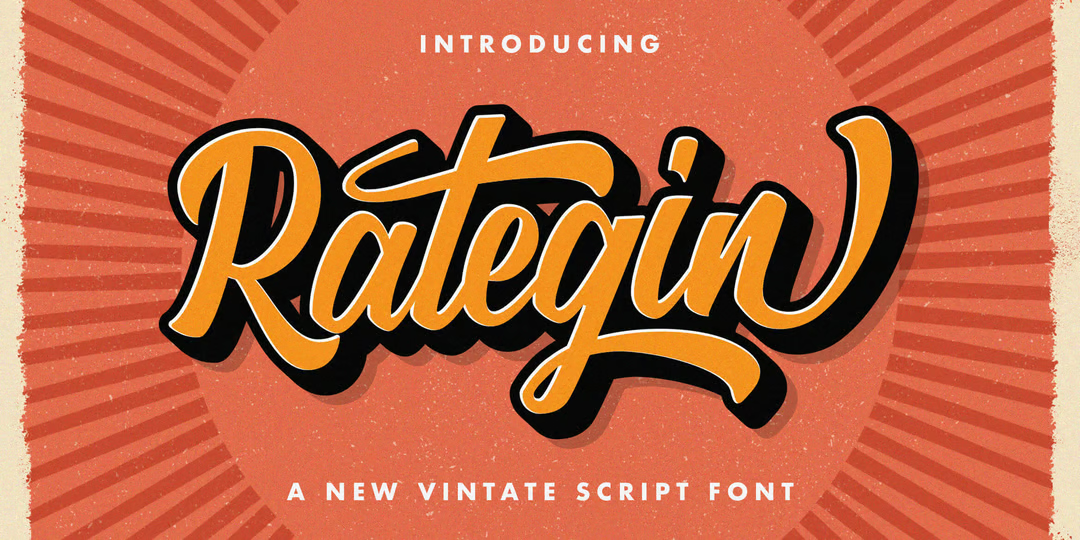
Hightone – Tall Condensed Sans Serif with Variable Styles

Hightone - Tall Condensed Sans Serif with Variable Styles

Download Hightone font

Hightone is a striking, condensed sans serif by Typoraith Co., designed to deliver bold visual impact with minimal space usage. This modern display font family comes in 20 variable styles ranging from Thin to Black, offering you the flexibility to fine-tune weight and presence for precise typographic control.

Hightone – Perfect For

– Poster and headline design
– Editorial and magazine layouts
– Logos and strong branding visuals
– Web headlines and UI titles
– Fashion, music, and lifestyle graphics

Hightone – Font Features

– Efficient variable font covering Thin → Black –
– Clean, tall design with tight spacing –
– Delivered in both OTF and TTF formats –
– Multilingual Latin support –
– Ideal for editorial and high-impact environments –

Hightone – What’s Included

– 20 Variable font styles (Single file) –
– OTF/TTF format compatibility
– Webfont versions available via appropriate licensing –

Hightone – Pricing

– Desktop/Webfont license: $35 USD (member discount available) –
– ePub license: $70 USD –
– App license: $280 USD –

Font Designer Name: Typoraith Co.
Publisher Name: Typoraith Co.
Marketplace Availability: Creative Market

Hand Drawn Mystical Moon Collection – Ethereal Celestial Clipart Set

Hand Drawn Mystical Moon Collection – Ethereal Celestial Clipart Set

Download Hand Drawn Mystical Moon Collection

Hand Drawn Mystical Moon Collection by Kirill’s Workshop features a beautifully curated set of 47 custom hand-drawn moon illustrations, including mystical, floral, crescent, geometric, lotus, and celestial designs—all imbued with a magical aesthetic. These versatile clipart designs are ready to elevate your creative projects with a touch of serene celestial charm.

Packed with versatility, this collection includes:

High-resolution PNG files (47, transparent, 300 dpi)

Scalable SVG files for Cricut and Silhouette use

DXF files compatible with most cutting machines

A vector EPS file for seamless scalability

JPEG previews for quick reference

It’s perfect for scrapbooking, blog and social media visuals, flyers, posters, notebook covers, stationery, greeting cards, branding, packaging, t-shirt graphics, and much more—bridging the gap between handcrafted charm and modern design needs.

Perfect For

– Scrapbook & stationery design
– Mystical social media, website, or blog visuals
– Greeting cards & printable decor
– Boutique packaging & brand identity
– Apparel prints & textile design
– Mixed media and DIY projects

Features

– 47 unique, hand-drawn celestial moon designs
– PNG (transparent, 300 dpi), vector (SVG, EPS), cutting-ready (DXF), plus JPEG previews
– Ideal for print and digital projects – Easily editable vector artwork—adjust color, size, or layout as needed

What’s Included

– 47 PNG files (transparent background, high resolution)
– 47 SVG files for use with Cricut, Silhouette, etc.
– 47 DXF files (cutting machines ready)
– 1 EPS vector file
– JPEG preview or key images

Pricing

Available on Creative Fabrica—pricing may vary based on promotions, subscriptions, or licensing tiers. Please visit the product page for current rates.

Product Type: Digital Clipart & Celestial Illustrations
Designer: Kirill’s Workshop
Marketplace: Creative Fabrica

Metazora – A Futuristic Bold Display Typeface

Download Metazora font

Metazora is a futuristic display font with bold lines, geometric structure, and a tech-inspired aesthetic. Created by Illustraly and published via MyFonts, Metazora is perfect for projects that require a striking, modern, and digital-forward visual identity. It excels in areas where clarity meets creativity—ideal for gaming, technology, branding, and sci-fi titles.

With its clean angles, sharp terminals, and dramatic structure, Metazora balances legibility and style. Whether you’re working on a poster, logo, web banner, or app UI, this font delivers maximum impact and minimal effort.

Perfect For

– Futuristic branding and logos –
– Tech product packaging –
– Sci-fi posters and titles –
– Gaming user interfaces –
– Digital ads and website headers –

Font Features

– All-uppercase character set –
– Stylized letterforms with futuristic flair –
– Clean, bold display design –
– Modern tech aesthetic –
– Versatile for digital and print use –

What’s Included

– Metazora Regular (OTF, TTF) –
– Webfont formats (WOFF, WOFF2) –
– Commercial and extended license options –

Pricing

– $15 USD for the full license on MyFonts –
– Desktop, Webfont, App, and E-pub licensing available –

Font Style: Futuristic Display Sans-Serif
Font Designer Name: Illustraly
Publisher Name: Illustraly
Marketplace Availability: MyFonts

Knockout – Expansive Vintage-Modern Grotesk Sans‑Serif

Knockout - Expansive Vintage-Modern Grotesk Sans‑Serif

Download Knockout font

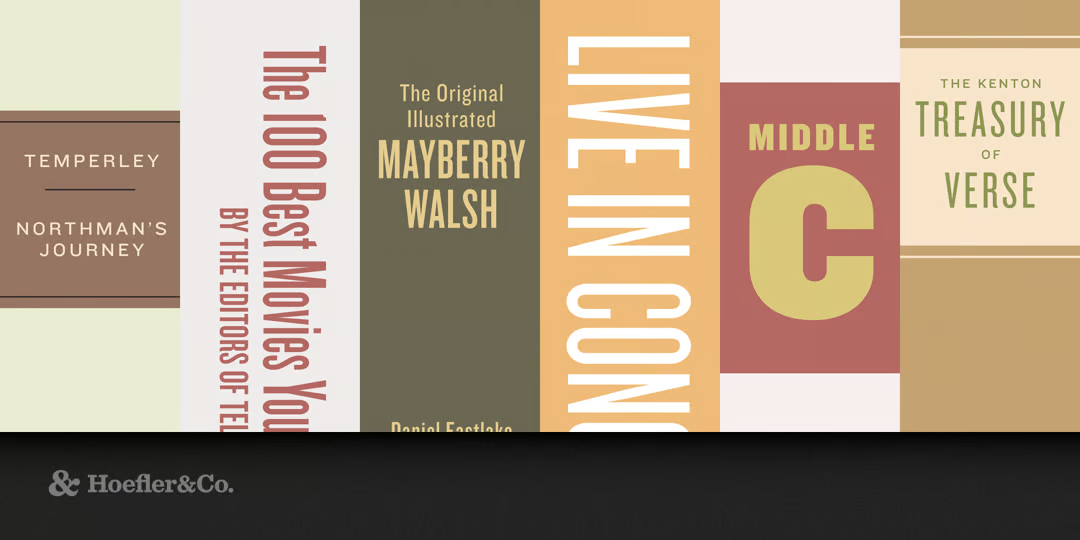
Knockout, designed by Jonathan Hoefler and published by Hoefler & Co., is a dynamic grotesk family blending vintage wood-type energy with modern clarity. Inspired by Hoefler’s earlier Champion Gothic (1991), Knockout offers breathtaking typographic versatility with 67 styles and a rich depth of width-weight combinations.

Perfect For

– Editorial headlines and logotypes –
– Bold branding and identity systems –
– Posters and poster-style advertising –
– Packaging design with expressive personality –
– Retro-futuristic UI or typographic art pieces –

Font Features

– 67 styles spanning nine widths and four weights (plus display variants) –
– Inspired by American wood type, delivering authentic vintage expression –
– Expanded Latin character set with multilingual support for 503 languages –
– OpenType features including alternates and ligatures for expressive layouts –

What’s Included

– Full Knockout typeface family: 67 styles across multiple widths and weights –
– Webfont support via MyFonts (WOFF, WOFF2, EOT) –
– Pack collections like Series A, B, or G available for smaller curated subsets –

Pricing

– Individual style: starts from approximately £177.99 GBP (~$177 USD) (e.g., per style or smaller pack) –
– Complete 32-font family: approximately £839.00 GBP (~$839 USD) –

Font Style: Grotesk Sans‑Serif (Vintage Wood‑Type Inspired)
Font Designer Name: Jonathan Hoefler
Publisher Name: Hoefler & Co.
Marketplace Availability: MyFonts

Gouache Brushes for Procreate – Realistic Digital Gouache Tools

Download Gouache Brushes for Procreate

Gouache Brushes for Procreate is a premium brush collection from Lisa Glanz, built to replicate the rich texture and creamy flow of traditional gouache. With a thoughtfully curated set of tools—including smooth, textured, and line-work brushes—this pack makes gouache-style painting simple and expressive, without the mess.

Perfect For

– Botanical and fine-art digital painting –
– Layered, painterly illustrations –
– Tutorials, teaching, and practice workflows –
– Print-ready artwork and greeting card designs –
– Seamless blending of color and texture in Procreate –

What’s Included

– 14 gouache brushes (smooth, textured, line‑work) –
– 6 gouache stamp brushes –
– 2 Procreate canvases (Smooth & Textured) in 3 sizes each:
– Standard (2800×3554 px), Large (3900×4950 px), Extra Large (4950×7000 px) –
– 4 curated Procreate color palettes –
– Bonus “Learn-to-Paint” botanical bird layered Procreate document with video tutorial

Pricing

– $19 USD for full asset pack –
– Commercial use license (up to 5,000 items or moderate promotion): $21 USD –

Product Highlights

– Developed and extensively tested with artist feedback for realism and usability –
– Canvas backgrounds are essential for achieving intended authentic gouache textures –
– Includes both instructional guide and application-ready tools –

Product Type: Procreate Gouache Brush Pack
Designer: Lisa Glanz
Marketplace Availability: Creative Market

SFXS 2 – Download 34 Original Retro Sound Effects Pack (WAV)

SFXS 2 - 34 original and retro sound effects

Download SFXS 2 + All Our Premium Sounds

UPDATED: Now includes 9 brand-new sounds!

SFXS 2 is a curated collection of 34 high-quality, unique sound effects, crafted for sound editors, musicians, producers, and video creators. Whether you’re enhancing music, film, or multimedia projects, these SFX will add a fresh and distinctive touch.

What’s inside “SFXS 2”

– 34 professionally designed sound effects in 24-bit WAV format –
– Free lifetime updates, including future fixes and additional sounds –

Changelog
v2.0 – Added 9 new sound effects, plus minor waveform improvements
v1.0 – Initial release

Animal Portraits & Flowers – Vintage-Inspired Animal & Botanical Illustrations

Download Animal Portraits & Flowers

Animal Portraits & Flowers, designed by Lisa Glanz, is a charming fine-art collection that blends nostalgic animal portraits with delicate botanical elements, designed to evoke whimsical elegance and vintage charm. Ideal for creating magical and detailed designs enriched with soft palettes and hand-drawn texture.

Perfect For

– Nursery art and children’s prints –
– Wedding stationery and invitations –
– Greeting cards and paper goods –
– Apparel, totes, and home decor –
– Branding, logos, and pre-made floral frames –

Features

– 4 high-resolution animal portraits (Little Fox, Miss Kitty, etc.) –
– 6 botanical corner arrangements –
– 4 botanical frames –
– 4 whimsical wreaths –
– 8 textured backgrounds (3543 px × 4960 px JPEGs) –
– 53 individual floral elements for DIY arrangements

What’s Included

– PNG files with transparent backgrounds (300 dpi) – used for the animal and botanical elements –
– High-resolution JPEG backgrounds – perfect for seamless design or print projects

Pricing

– Personal License: $22 USD – suitable for individual, non-commercial use –
– Commercial License: $28 USD – allows up to 5,000 units or moderate-sized audience usage –
– Extended Commercial: $1,500 USD – best for large-scale campaigns, product runs, or app usage

Product Type: Vintage Illustrations & Botanical Elements
Designer: Lisa Glanz
Marketplace Availability: Creative Market

Salt & Pepper, a Whimsical Font Family – Playful Script Duo with Bonus Graphics

Download Salt & Pepper: Whimsical Font Family

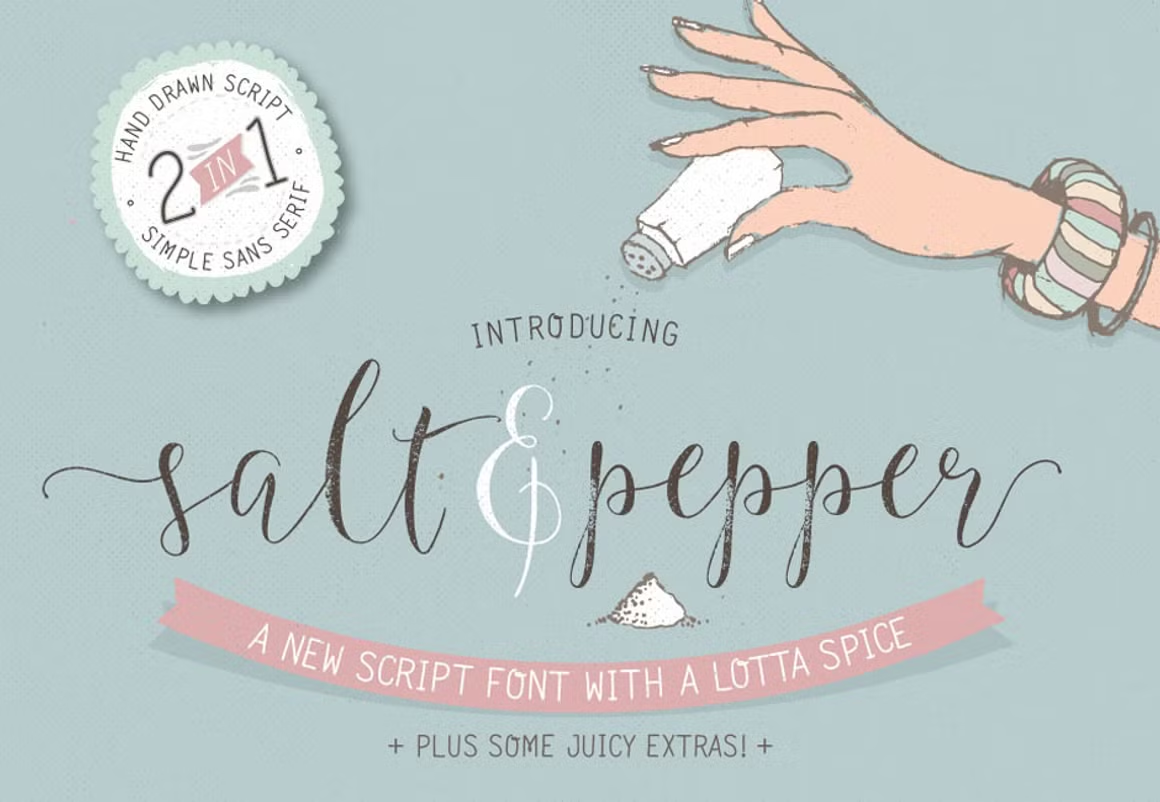
Salt & Pepper: Whimsical Font Family, crafted by Lisa Glanz, is a delightfully hand-drawn font duo that includes a smooth script and a gritty companion version. This duo not only simplifies font pairing but also delivers a full creative toolkit, featuring ornaments, swashes, alternatives, and over 60 bonus graphic assets.

Perfect For

– Invitations & greeting cards –
– Hand-lettered logos & branding –
– Planner layouts & printables –
– Social media visuals & banners –
– DIY projects & whimsical print designs –

Font Features

– Two complementary styles: smooth script + gritty script –
– Decorative alternates, ligatures, and swashes included –
– Professionally crafted for cozy, handcrafted appeal –

What’s Included

– Script and gritty script font files (OTF/TTF) –
Over 60 bonus graphic elements
– 37 icons/objects –
– 10 floral illustrations –
– 6 frames –
– 5 borders –
– 2 seamless whimsical patterns –
– 2 subtle textures –

Pricing

– $19 USD — Desktop license –
– Webfont license: $19 USD –
– E‑pub: $38 USD –
– App: $152 USD –

Font Style: Hand‑drawn Script Duo
Font Designer Name: Lisa Glanz
Publisher Name: Lisa Glanz
Marketplace Availability: Creative Market

Enorm, a futuristic neo-grotesque sans-serif

Enorm, a futuristic neo‑grotesque sans‑serif

Download Enorm font

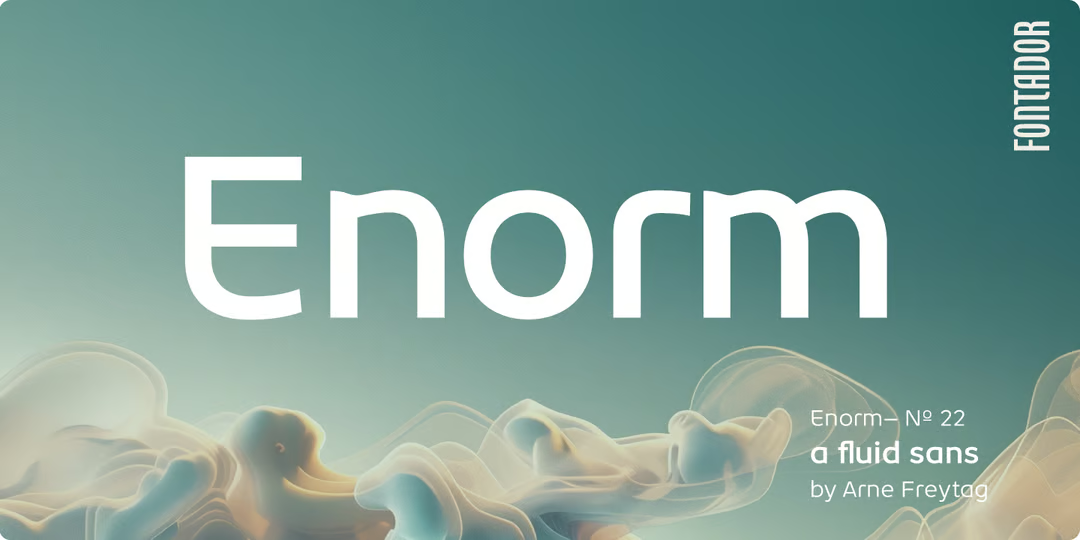
Enorm is a modern neo‑grotesque typeface designed by Arne Freytag and published by Fontador. Released on July 4, 2025, it comprises a 16‑style family (8 weights from Ultra Light to Black, each with oblique variants), along with a web-optimized variable font version. Its bold x-height and clean geometric forms lend perfect clarity and gravitas to brand, editorial, and UI typography.

Perfect For

– Editorial layout and branding systems –
– Corporate and tech UI headlines –
– Poster design and logotypes –
– Identity and packaging projects –
– Scalable typographic systems requiring clarity and neutrality –

Font Features

– 16 standard styles: Ultra Light → Black, each with an Oblique –
– Variable font with weight and slant axes –
– Large x-height for strong readability –
– Extensive OpenType system: ligatures, stylistic alternates –
– Full Latin support for multilingual use –
– Available in WOFF, WOFF2, EOT formats via MyFonts –

What’s Included

– Enorm font packages: standard 16-style family or variable font file –
– Comprehensive OpenType features enabled –
– Webfont formats bundled: WOFF, WOFF2, EOT –

Pricing

– Single style license: approximately €4.61 EUR (~$5 USD) –
– Complete 16-style family: €73.72 EUR (~$85 USD) after 30% discount (originally €105.31 EUR) –

Font Style: Neo‑Grotesque Sans‑Serif
Font Designer Name: Arne Freytag
Publisher Name: Fontador
Marketplace Availability: MyFonts

Seamless Paper Texture Brushes – Procreate Paper Grain & Overlay Tools

Seamless Paper Texture Brushes - Procreate Paper Grain & Overlay Tools

Download Seamless Paper Texture Brushes

Seamless Paper Texture Brushes by Lisa Glanz is a premium set of seamless, digital paper-texture brushes designed exclusively for Procreate. These brushes instantly elevate your digital creations with tactile realism—perfect for layering realistic paper grain over drawings and backgrounds.

Perfect For

– Enhancing Procreate illustrations with tactile paper texture –
– Adding authentic overlays to digital lettering and portraits –
– Creating depth in journal pages, planner spreads, and prints –
– Giving digital artwork a natural, handmade finish –

Features

– High-resolution Procreate brushes with seamless paper effects –
– Top & Bottom Texture Brushes for layered texturing –
– Includes 8 Watercolour, 5 Fine Texture, 4 Canvas, 5 Kraft, 5 Cardstock, 3 Novelty, and 5 Flecks & Fibers paper varieties –
– Packs include 4 colour palettes, a color-swatch file, a video tutorial, and a 16-page resource guide with cheat sheet –

What’s Included

– 35 seamless paper texture brushes in .brushset format –
– Complimentary Procreate colour swatches (.swatches) –
– Tutorial video and 16-page guide PDF –
– Optimized for Procreate and Procreate Dreams –

Pricing

– $19 USD Procreate brush set (Creative Market price) –

Product Type: Procreate Texture Brush Pack
Designer: Lisa Glanz
Marketplace: Creative Market

Wintler, a versatile grotesque sans‑serif family

Wintler, a versatile grotesque sans‑serif family

Download Wintler font

Wintler is a comprehensive sans‑serif family designed and published by Michael Rafailyk. Released on June 20, 2025, this typeface blends neutral grotesque proportions with flexible variable functionality. It includes 32 styles (Thin → Black, in both regular and condensed widths, with matching italics) plus a variable font offering control over weight (100‑900), width (75‑100%), and italic slant.

The design builds on the openness of the award-winning Decutto typeface while offering improved readability and expanded stylistic range—making it suitable for both body text and headings across print, editorial, branding, and UI projects.

Perfect For

– Editorial design and typographic systems –
– Web and app UI headers –
– Branding for corporate or tech identities –
– Scalable design systems requiring width/weight control –
– Layouts needing a clean yet expressive grotesque foundation –

Font Features

– 32 font styles: Thin → Black in normal and condensed widths –
– Matching italics for each weight and width –
– Variable font axis: Weight, Width & Italic support –
– Balanced geometric shapes with open counters –
– Comprehensive Latin + Cyrillic multilingual support –
– OpenType features like standard & contextual ligatures, small caps, alternate sets –

What’s Included

– Full Wintler family (32 upright & italic styles) –
– Variable font version included –
– Webfont formats: WOFF, WOFF2, EOT (served via MyFonts) –

Pricing

– Individual font style: €2.74 EUR (~$2.90 USD) each –
– Full Wintler family pack (32 fonts): €87.76 EUR (~$95 USD) –
– Variable font license available starting at €65.82 EUR (~$71 USD) –

Font Style: Grotesque Sans‑Serif (with Variable variant)
Font Designer Name: Michael Rafailyk
Publisher Name: Michael Rafailyk
Marketplace Availability: MyFonts

Seamless Paper Texture Pack – Subtle & Crafty Paper Overlays

Seamless Paper Texture Pack - Subtle & Crafty Paper Overlays

Download Seamless Paper Texture Pack

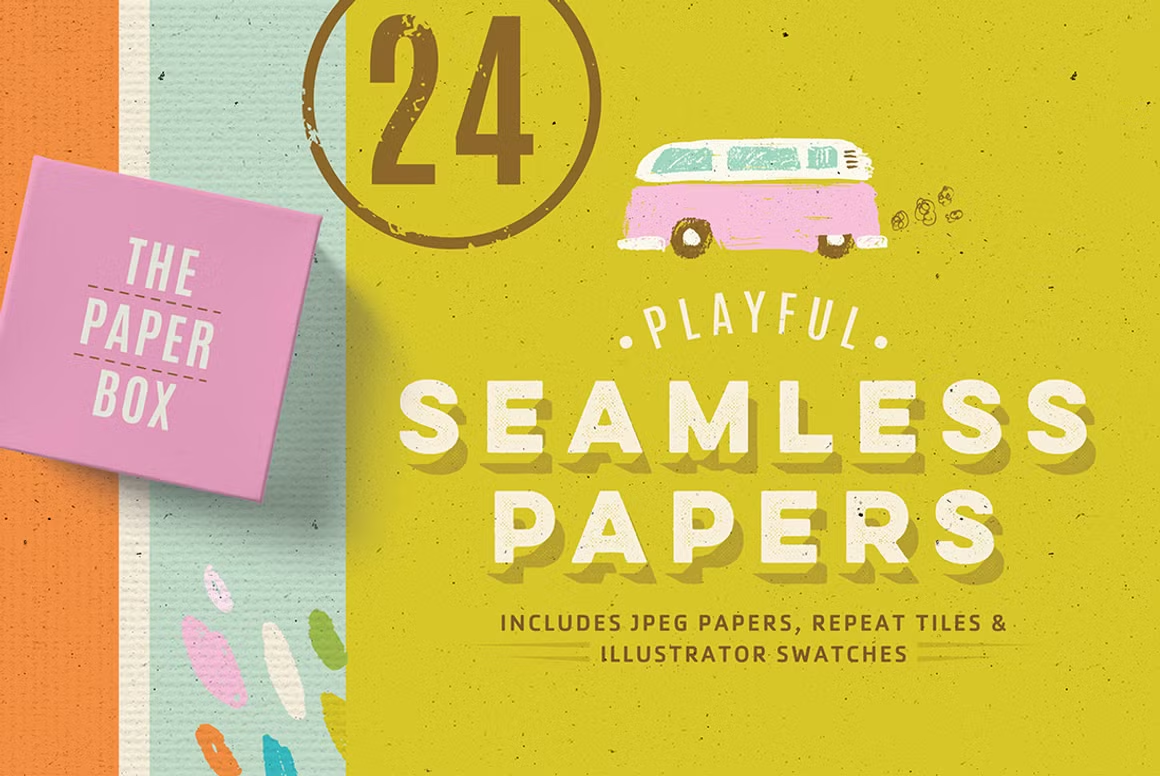
Seamless Paper Texture Pack by Lisa Glanz offers a versatile collection of natural, tactile paper textures—perfect for lending an authentic, handcrafted feel to your digital designs. Whether laid over watercolor artwork or added as a subtle background, these textures bring depth and visual interest with minimal effort.

Perfect For

– Watercolor illustrations and paintings –
– Digital journaling & planner designs –
– Invitations, greeting cards & stationery –
– Backgrounds in branding and web graphics –
– Overlay effects in editorial layouts and print media –

Features

– 24 seamless textures across 3 styles: Subtle, Cream, and Craft paper –
– Illustrator swatches (seamless), JPEGs (in 12″×12″ & A3), and Photoshop tile files (with guide) –
– Ideal for adding handcrafted charm to digital work –
– Optimized for seamless tiling in Illustrator & Photoshop –

What’s Included

– 24 high-resolution JPEG files (300 dpi, 12″×12″ and A3 sizes) –
– 24 seamless tile files for Photoshop (with detailed instructions) –
– 24 Illustrator swatch files (SC3+ compatible) –
– Ready-to-use digital textures for overlays and patterns –

Pricing

– Personal license: $8.00 USD –
– Commercial license: $10.00 USD (for usage in up to 5,000 products) –
– Extended commercial: $150.00 USD (for up to 50,000 units, apps, or global campaigns) –

Product Type: Digital Seamless Texture Pack
Designer: Lisa Glanz (The Paper Box)
Marketplace: Creative Market

ED Nimpkish, a hybrid paring typeface

ED Nimpkish, a hybrid paring typeface


View & Purchase ED Nimpkish on Creative Market

Important:
ED Nimpkish is a premium commercial font and is not available for free on Kreativ Font.
It can be legally purchased from trusted marketplaces such as
MyFonts or Creative Market.

Looking for free fonts instead?
We curate and review legitimately free fonts and free alternatives — no pirated or redistributed files.
Browse free fonts here →


Join Kreativ Font Free Tier – Get Legal Free Fonts Every Month

ED Nimpkish is an experimental decorative font by Emyself Design (Eko Setiawan) that blends two contrasting styles into a single, expressive typeface. It’s a striking choice for projects that need personality and flair—perfect for posters, book covers, social media graphics, and branding with a unique twist.

Perfect For

– Posters & event graphics –
– Logo design & creative branding –
– Editorial headlines & magazine spreads –
– Social media visuals –
– Book & magazine covers –

Font Features

– Combines two distinct styles into one hybrid design –
– Full set of uppercase, lowercase, numerals, punctuation, and symbols –
– 357 glyphs including stylistic alternates, ligatures, and special characters –
– OpenType features enabled (ligatures, alternate glyphs) –
– PUA-encoded for easy glyph access –
– Multilingual Latin support –

What’s Included

– ED Nimpkish font files (OTF, TTF, WOFF) –
– Full glyph set including alternates and ligatures –
– Ready for desktop and web use –

Pricing

– $12.60 USD (after discount, regular $14) for desktop license, available on YouWorkForThem –

Font Style: Decorative Hybrid Display
Font Designer Name: Emyself Design (Eko Setiawan)
Publisher Name: Emyself Design
Marketplace Availability: YouWorkForThem, Creative Market

Britti Sans, a sleek variable sans-serif font

Britti Sans, a sleek variable sans-serif font

Download Britti Sans font

Britti Sans is a sleek and contemporary sans serif font with sharp precision and a minimalist aesthetic. With clean lines and a balanced structure, it provides a versatile typographic voice suitable for both display and body text applications. Its modern simplicity and understated elegance make it a great fit for brands and projects that value clarity, sophistication, and readability.

Whether you’re working on branding, editorial layouts, or digital interfaces, Britti Sans brings a professional and refined touch to any design.

Perfect For

– Minimalist branding –
– Editorial and magazine layouts –
– Website and app interfaces –
– Fashion and beauty packaging –
– Logos and modern headlines –
– Clean social media visuals –

Font Features

– Uppercase and lowercase letters –
– Punctuation and symbols –
– Multilingual support –
– Balanced proportions and geometric base –
– Sans serif style with a clean finish –

What’s Included

– Britti Sans Regular (OTF format) –
– Complete Latin alphabet (uppercase & lowercase) –
– Numbers, punctuation, and special characters –
– PUA encoded for easy access –

Pricing

– Starting from $18 USD on YouWorkForThem –
– Licenses available for: Desktop, Webfont, App, eBook, Broadcast –

Font Style: Modern Sans Serif
Font Designer: Nois (Guillermo Lizarzuay)
Marketplace Availability: YouWorkForThem

MidJourney vs Leonardo: Which AI Art Generator Should You Use in 2025?

MidJourney vs Leonardo: Which AI Art Generator Should You Use in 2025?

AI art tools are transforming how creators design visuals for social media, branding, and digital projects. Among the most popular platforms are MidJourney and Leonardo AI. Both offer powerful AI-driven image generation, but they target slightly different audiences and use cases.

In this article, we’ll compare MidJourney vs Leonardo AI across features, pricing, and usability to help you choose the best tool for your creative workflow.

What is MidJourney?
MidJourney is one of the most well-known AI art generators, famous for its unique, painterly style. It runs primarily through Discord, where users enter prompts and receive generated images in seconds.

Key Features of MidJourney
– Exceptional artistic and surreal rendering styles
– High-quality, detailed, and cinematic visuals
– Simple prompt-based workflow via Discord
– Community-driven with prompt sharing and showcases
– Focus on stunning visuals, less on structured editing

What is Leonardo AI?
Leonardo AI is a rising competitor that combines AI art generation with practical design tools. Unlike MidJourney, it offers a web-based platform and is built with usability and creative workflows in mind.

Key Features of Leonardo AI
– Web interface with dashboard and asset management
– Pre-trained models for different styles (game assets, concept art, photorealism, etc.)
– Image editing, background removal, and inpainting
– Model training for custom styles and branding
– Faster iteration and export options for design workflows

MidJourney vs Leonardo: Side-by-Side Comparison
Feature MidJourney Leonardo AI
Interface Discord-only Web-based dashboard
Ease of Use Requires learning Discord commands Intuitive, user-friendly UI
Image Quality Stunning, artistic, cinematic Flexible: photorealistic + creative styles
Editing Tools Limited (variations, upscale) Strong editing tools (inpainting, background removal)
Customization Fixed AI models Train custom models
Community Huge, active Discord community Growing but smaller
Best For Artists seeking unique, surreal imagery Designers needing practical, editable assets

Pricing Comparison
– MidJourney: Subscription-based ($10–$60/month depending on usage tier).
– Leonardo AI: Free tier available, with premium plans starting around $10/month, offering more credits and advanced features.

When to Choose MidJourney
Choose MidJourney if:
– You want high-quality, artistic images for inspiration, posters, or digital art
– You love experimenting with creative prompts and exploring community showcases
– You’re comfortable working through Discord

When to Choose Leonardo AI
Choose Leonardo AI if:
– You need practical, editable assets for design projects
– You prefer a web-based, intuitive interface over Discord commands
– You want the ability to train models for consistent branding or unique styles

Final Verdict
Both MidJourney and Leonardo AI are powerful, but they shine in different ways:

– MidJourney is best for artists and creators looking for visually stunning, imaginative artwork.
– Leonardo AI is best for designers and businesses who need practical tools, flexibility, and production-ready assets.

Ratch, a variable modern geometric grotesk

Download Ratch font

Ratch is a refined sans-serif typeface with a bold personality, bringing together strong contrast, crisp serifs, and delicate curves. Designed by Roman Melikhov, it evokes an editorial elegance that’s ideal for luxury branding, magazines, fashion statements, and display typography that commands attention.

With a flair of modern classicism, Ratch is perfect for designs seeking a mix of sophistication and boldness, making it a valuable asset in any creative toolkit.

Perfect For

– Editorial headlines and magazine layouts –
– Fashion and beauty branding –
– Social media graphics –
– Luxury product packaging –
– Modern logos and titles –
– Elegant invitations and posters –

Font Features

– All-caps letterforms –
– Elegant, high-contrast design –
– Modern serif structure –
– Uppercase, numerals, and punctuation –
– Multilingual support –
– PUA encoded –

What’s Included

– Ratch Regular (OTF format) –
– Full uppercase alphabet –
– Numbers and punctuation –
– Basic multilingual characters –

Pricing

– Starting from $18 USD on YouWorkForThem –
– Licensing available for: Desktop, Webfont, App, eBook, Broadcast –

Font Style: Modern Sans-Serif, All-Caps
Font Designer Name: Roman Melikhov
Marketplace Availability: YouWorkForThem

Easy Digital Downloads vs WooCommerce: Which One Should You Choose in 2025?

Easy Digital Downloads vs WooCommerce: Which One Should You Choose in 2025?

When it comes to selling products online, WordPress offers two of the most popular eCommerce plugins: Easy Digital Downloads (EDD) and WooCommerce. While both are powerful, they are built for slightly different needs. Choosing the right one depends on what type of products you plan to sell, how you want to manage your store, and your long-term growth strategy.

Let’s compare EDD vs WooCommerce to help you decide which platform is best for your online business.

What is Easy Digital Downloads (EDD)?

Easy Digital Downloads is a WordPress plugin designed specifically for selling digital products. Whether you’re selling fonts, music, eBooks, courses, or software licenses, EDD gives you a lightweight yet powerful system tailored for digital sales.

Key Advantages of EDD

– Simple and lightweight, optimized for digital files
– Built-in tools for licensing, file delivery, and customer accounts
– Seamless checkout with fewer distractions
– Extensions for subscriptions, software licensing, recurring payments

What is WooCommerce?

WooCommerce is the most popular eCommerce plugin for WordPress, powering millions of online stores worldwide. It’s highly flexible and allows you to sell both physical and digital products, making it a great choice for businesses with diverse inventories.

Key Advantages of WooCommerce

– Supports both physical and digital products
– Huge ecosystem of plugins, themes, and integrations
– Ideal for stores that need shipping, taxes, and inventory management
– Wide community support and documentation

EDD vs WooCommerce: Side-by-Side Comparison

| Feature | Easy Digital Downloads (EDD) | WooCommerce |
| ——————— | ————————————————— | ——————————————— |
| Best for | Digital products only | Physical + digital products |
| Ease of Use | Lightweight, minimal setup | More setup required, but flexible |
| Payment Options | Supports PayPal, Stripe, extensions for more | Wide range of gateways, built-in support |
| File Delivery | Secure file downloads, versioning, license keys | Digital downloads supported, less specialized |
| Physical Products | Not supported (requires add-ons) | Fully supported with shipping + inventory |
| Extensions | Strong for digital sales (subscriptions, licensing) | Huge ecosystem for all kinds of stores |
| Pricing | Free core plugin + paid extensions | Free core plugin + paid extensions |
| Scalability | Best for niche stores selling digital files | Scales well for large, complex stores |

When to Choose Easy Digital Downloads (EDD)

Pick EDD if:
– You only sell digital products (fonts, music, themes, plugins, eBooks)
– You want a simple, fast setup optimized for digital delivery
– You need specialized features like software licensing or recurring subscriptions

When to Choose WooCommerce

Pick WooCommerce if:
– You sell both physical and digital products
– You need advanced store features (shipping, inventory, product variations)
– You want access to the largest eCommerce ecosystem on WordPress

Final Verdict

– If your business is 100% digital products, Easy Digital Downloads is the leaner, more specialized option.
– If you need the flexibility to sell physical and digital goods together, WooCommerce is the better choice.

Both plugins are free to start with, but you’ll likely need premium extensions to unlock advanced features. The right choice depends entirely on the products you’re selling and your long-term eCommerce goals.

Rategin, a vintage script font with bold character

Download Rategin font

Rategin is a strong, vintage-inspired script font designed by Virgiawan Listanto and published by StringLabs Creative Studio. Released on June 20, 2025, it features striking retro charm with sweeping curves and robust strokes that bring old-school elegance to modern branding and design.

Perfect For

– Expressive logos & branding –
– Invitations, greeting cards & stationery –
– Packaging & merchandise with vintage appeal –
– Headlines & editorial titles –
– Social media and craft design projects –

Font Features

– Bold handwritten script with nostalgic personality –
– Alternates & discretionary ligatures for variation –
– PUA‑encoded for easy glyph access –
– Full Latin multilingual support –
– Font formats: OTF, TTF, WOFF, WOFF2 –
– Compatible with Cricut, Silhouette, Adobe software & Word –

What’s Included

– Rategin font files (OTF, TTF, WOFF, WOFF2) –
– Full OpenType feature set: alternates & ligatures –
– Commercial desktop and digital license options –
– Extended and digital ad/email licenses available –

Pricing

– Desktop license: $59 USD –
– Extended license: $368 USD –
– Business Elite license: $3,675 USD –

Font Style: Vintage Handwritten Script
Font Designer Name: Virgiawan Listanto
Publisher Name: StringLabs Creative Studio
Marketplace Availability: MyFonts

Moriz, a geometric sans with variable powers

Download Moriz font

Moriz is a comprehensive variable sans-serif family crafted by Josep Patau Bellart and published by Tipo Pèpel. Spanning 44 styles—including condensed, semi-condensed, and a variable version with width and weight axes—this typeface blends industrial rationality with human warmth for engaging versatility.

Perfect For

– Editorial design & typographic hierarchies –
– UI and web headings needing precise control –
– Corporate branding and identity systems –
– Flexible typographic environments with mixed widths –
– Layouts requiring scalability and variation –

Font Features

– Family includes 44 styles: variable, condensed, semi & regular widths with italics –
– Four-axis variable support (weight & width) –
– Geometric design with generous counters and clean structure –
– OpenType features: stylistic alternates, ligatures & small caps –
– Latin & Cyrillic multilingual support for broad language use –

What’s Included

– Full Moriz font family (44 styles, including uprights + italics + variable versions) –
– OpenType features enabled across styles –
– Webfont formats supported: WOFF, WOFF2, EOT –
– Condensed and semi-condensed sub‑families included –

Pricing

– Individual style license: €25.45 EUR (~$28 USD) each –
– Complete family: €199 EUR ($220 USD), often discounted to €139 EUR ($155 USD) (~30% off) –

Font Style: Geometric Variable Sans‑Serif
Font Designer Name: Josep Patau Bellart
Publisher Name: Tipo Pèpel
Marketplace Availability: MyFonts

Top Canva Templates for Social Media in 2025

Top Canva Templates for Social Media in 2025

If you want to stand out on Instagram, TikTok, Facebook, or Pinterest, eye-catching visuals are key. Canva makes it easy for anyone—designer or not—to create professional graphics in minutes. With thousands of ready-to-use templates, you can quickly design posts, stories, and ads that grab attention. In this article, we’ll highlight some of the **top Canva templates for social media** that you can use to boost engagement and grow your audience.

1. [Instagram Story Templates]

Instagram Stories are one of the best ways to connect with followers in real time. Canva offers trendy, animated, and interactive story templates that make your content look professional and engaging. Whether you want to share a new product launch, run a poll, or post behind-the-scenes content, these templates help you stay consistent with your brand.

2. [TikTok Video Templates]

TikTok thrives on bold and dynamic visuals. Canva’s TikTok video templates make it easy to design short, vertical videos with stylish text overlays, transitions, and music integration. Perfect for quick promotions, lifestyle content, or creative storytelling.

3. [Instagram Post Templates]

Square posts still dominate the Instagram feed, and Canva has thousands of modern layouts designed specifically for quotes, promotions, product showcases, or brand announcements. These templates let you maintain a cohesive grid while saving hours of design time.

4. [Facebook Ad Templates]

Running ads? Canva’s Facebook ad templates are optimized for conversions. With clean layouts, bold typography, and attention-grabbing designs, they help you create professional-looking ads in minutes. You can easily adapt them for different industries—fashion, tech, food, or events.

5. [Pinterest Pin Templates]

Pinterest is highly visual, making Canva’s pin templates a must-have. These vertical designs are ideal for blogs, recipes, DIY projects, and product pins. By using branded templates consistently, you’ll increase your chances of driving traffic to your website or shop.

6. [YouTube Thumbnail Templates]

A strong thumbnail can double your video’s click-through rate. Canva’s YouTube thumbnail templates come with bold colors, clear typography, and customizable elements to match your channel branding. Perfect for tutorials, vlogs, reviews, and more.

7. [Carousel Templates]

Instagram carousels are one of the best formats for storytelling. Canva’s carousel templates allow you to create a series of connected slides that flow seamlessly together. Great for tutorials, step-by-step guides, or product features.

Perfect For

– Influencers and content creators –
– Small businesses and startups –
– Coaches, bloggers, and educators –
– Brands looking to maintain consistent visual identity –

Tips for Using Canva Templates Effectively

– Customize colors and fonts** to match your branding –
– Use consistent design elements** across platforms for recognition –
– Incorporate high-quality images or videos** for maximum impact –
– Experiment with animation features** for stories and reels –
– Save templates as brand kits** to streamline future designs –

Granke, a bold display grotesk font with tall proportions

Granke, a bold display grotesk font with tall proportions

Download Granke font

Granke is a commanding display grotesk—designed to stand out with strong verticality, clean geometry, and global appeal. Created by Martin Katibi and published by Valentino Vergan Type Foundry, Granke combines expressive form with multilingual versatility, offering nine weights from Thin to Black, each with matching obliques, as well as a fully featured variable font system.

Perfect For

– Branding & identity systems –
– Editorial headlines & magazine typography –
– Packaging & product design –
– Advertising campaigns & motion graphics –
– Web and UI typography with strong presence –

Font Features

– Nine weights (Thin → Black) plus matching oblique styles –
– Full variable font version with weight & slant control –
– Extended Latin and Cyrillic support –
– True Small Caps and expressive alternates –
– Creative ligatures for distinctive type treatment –
– Engineered for use in Figma, Adobe CC, Sketch, and the web –

What’s Included

– Complete Granke family (19 fonts including obliques) –
– Variable font version included –
– OpenType features: small caps, alternates, ligatures –
– Webfont formats: WOFF, WOFF2, EOT formats available –

Pricing

– Individual style: £13.76 GBP (~$18 USD) each –
– Full family: £60.37 GBP ($79 USD) – approximately £42.26 GBP ($55 USD) with 30% discount
– Additional license tiers (E‑pub, app) available at higher pricing –

Font Style: Grotesk Display Sans‑Serif
Font Designer Name: Martin Katibi
Publisher Name: Valentino Vergan Type Foundry
Marketplace Availability: MyFonts

Top WooCommerce Themes for Designers in 2025

For designers who want to sell digital products, physical goods, or design services, WooCommerce is one of the most powerful and flexible eCommerce platforms available. The right theme can make your store look stunning, load fast, and convert more visitors into customers.

In this guide, we’ve handpicked the top WooCommerce themes for designers in 2025 – all optimized for speed, style, and sales.

1. Astra Pro

Best for: Speed, customization, and portfolio stores.

Astra Pro is one of the fastest-loading WooCommerce themes available, perfect for designers who want complete control over their store’s look. It integrates seamlessly with Elementor, Beaver Builder, and Gutenberg.

Astra Pro Key Features:

Lightweight & performance-focused.

Pre-built starter templates for WooCommerce.

Deep integration with page builders.

Pricing: Free version available, Pro from $59/year.

Get Astra Pro

2. Flatsome

Best for: Stylish, highly customizable online shops.

Flatsome is one of the best-selling WooCommerce themes of all time, known for its sleek design and user-friendly builder. Ideal for designers selling high-end or creative products.

Flatsome Key Features:

Built-in UX Builder for easy customization.

Stunning product galleries.

Optimized for mobile shopping.

Pricing: $59 one-time on ThemeForest.

Get Flatsome

3. Kadence

Best for: Minimalist and modern designer stores.

Kadence offers a clean, modern aesthetic with powerful WooCommerce integration. It’s highly customizable while remaining lightweight for faster load times.

Kadence Key Features:

Global typography and color controls.

Drag-and-drop header & footer builder.

WooCommerce-specific templates.

Pricing: Free version available, Pro from $79/year.

Get Kadence Theme

4. Divi by Elegant Themes

Best for: Designers who want full creative freedom.

Divi’s visual drag-and-drop builder makes it possible to design unique WooCommerce product pages and layouts without touching code. It’s great for creating branded, one-of-a-kind stores.

Divi Key Features:

Powerful visual editor.

200+ pre-made layouts.

WooCommerce module customization.

Pricing: From $89/year or $249 lifetime access.

Get Divi Theme

5. OceanWP

Best for: Feature-rich eCommerce sites.

OceanWP is a versatile WooCommerce theme with tons of customization options, making it suitable for both product-focused and portfolio-driven designer shops.

Ocean WP Key Features:

Multiple shop and product page styles.

Fast and SEO-optimized.

Fully responsive design.

Pricing: Free version available, Pro from $43/year.

Get OceanWP

Tips for Choosing a WooCommerce Theme as a Designer
Prioritize speed – A beautiful theme is worthless if it loads slowly.

Go for customization – Choose a theme that supports your design vision.

Think mobile-first – Most shoppers browse on mobile, so your store should look perfect on small screens.

Check plugin compatibility – Ensure the theme works with your favorite page builder and WooCommerce extensions.

Final Thoughts
The top WooCommerce themes for designers combine great visuals, fast performance, and powerful customization options. Whether you prefer a minimalist aesthetic or a fully branded look, the themes above give you everything you need to sell your designs online successfully.

Pro Tip
Many of these themes offer free versions — test them before upgrading to Pro for extra features.

Browse More WooCommerce Themes

Best AI Tools for Designers in 2025 – Speed Up Your Creative Workflow

Best AI Tools for Designers in 2025 – Speed Up Your Creative Workflow

In this guide, we’ve curated the best AI tools for designers in 2025 — from image generation and branding to typography and animation — so you can level up your workflow and boost your creativity.

1. MidJourney – AI Image Generation Masterpiece

Best for: Stunning, artistic visuals and concept art.

MidJourney has quickly become the go-to AI image generation tool for designers. Using natural language prompts, you can create high-quality, stylized visuals perfect for branding, web design, and creative inspiration.

MidJourney Key Features

– Ultra-realistic and artistic rendering styles –

– Customizable prompts for unique brand looks –

– Active Discord community for inspiration and tips –

Pricing: From $10/month.

Try MidJourney Here

2. Leonardo AI – Versatile Creative Asset Generator

Best for: Game assets, UI elements, product renders.

Leonardo AI offers designers a flexible platform to generate not just images, but also textures, concept art, and product mockups. Its precision tools make it great for commercial design projects.

Leonardo AI Key Features

– Pre-trained styles for different design genres –

– Asset library for reusable elements –

– Rapid render speeds for iteration –

Pricing: Free tier available, premium from $12/month.

Start Creating with Leonardo AI

3. Runway ML – Video & Motion Graphics with AI

Best for: AI-powered video editing and motion design.

Runway ML brings AI to the video and animation world, making complex visual effects accessible without advanced skills. Designers can easily create social media videos, explainer animations, and dynamic brand content.

Runway ML Key Features

– AI green screen removal –

– Text-to-video generation –

– Motion tracking and effects –

Pricing: From $15/month.

Try Runway ML

4. Khroma – AI Color Palette Generator

Best for: Brand and UI color inspiration.

Khroma learns your favorite colors and generates endless palettes for your projects. Perfect for branding, web design, and packaging concepts.

Khroma Key Features

– Personalized color recommendations –

– Instant palette previews –

– Hex/RGB export for easy use –

Pricing: Free.

Use Khroma Free

5. Fontjoy – AI Font Pairing Made Easy

Best for: Typography combinations for branding & web.

Fontjoy uses AI to generate font pairings that complement each other perfectly. You can lock in fonts you like and let the AI suggest matching partners — great for logo design, websites, and printed materials.

Fontjoy Key Features

– Automatic font pairing –

– Live preview with your text –

– Export-ready font lists –

Pricing: Free.

Generate Font Pairings

6. Adobe Firefly – AI Inside Creative Cloud

Best for: Designers already using Photoshop & Illustrator.

Adobe Firefly integrates AI directly into Adobe’s Creative Cloud, letting you generate images, videos, edit elements, and create text effects without leaving your favorite tools.

Adobe Firefly Key Features:

– Text-to-image inside Photoshop –

– Very fast image generation –

– AI-powered generative fill –

– Custom style creation –

– Native Adobe apps integration –

Pricing:
– Start for Free with 500 credits/month –
– US$9.99/mo for 2000 credits/month –

Try Adobe Firefly

Opinion: The best AI tools for designers don’t replace creativity, they amplify it. By combining your skills with AI’s speed and versatility, you can deliver projects faster, experiment more, and wow your clients with cutting-edge visuals.

Pro tip: Start with free plans to experiment, then invest in the tools that best fit your workflow.

Thank you!
4 Tips for Using AI Tools in Design

4 Tips for Using AI Tools in Design

1. Start with a vision – AI is powerful, but your creative direction matters most.

2. Refine your prompts – Small wording changes can lead to better results.

3. Combine tools – Use MidJourney for images, Khroma for colors, and Fontjoy for typography to build complete brand kits.

4. Stay ethical – Respect copyright and check licenses for commercial use.

I hope it helps!

← Older articles
💬
Kreativ Font Assistant
Ask me anything about fonts & pairings